
The Italian tax code
The “codice fiscale” (Italian tax code) is essential to carry out a wide range of activities in Italy, such as opening a bank account, entering into a rental contract, registering with the Italian National Health Service, and receiving payments or reimbursements from the University of Bologna.
For information on how to obtain the Italian tax code, please consult the Italian Revenue Agency portal and read the instructions below.
Important: The code automatically generated when you register on Studenti Online is not the official tax code issued by the Italian Revenue Agency. Therefore, it cannot be used as a valid tax code for official administrative procedures.
Students from the European Union
If you are a citizen of a European Union country, or of Norway, Iceland, Liechtenstein, Switzerland, or the Republic of San Marino, you can apply for an Italian tax code directly at the Italian Revenue Agency (Agenzia delle Entrate).
To obtain it, you must:
- book an appointment (choose: Di che cosa hai bisogno? “Assistenza fiscale” and Per quale argomento? “Identificativi fiscali…”)
- attend the appointment in person;
- bring a valid identity document and one of the following documents to prove your student status:
- your University of Bologna enrolment certificate; or
- if you are an exchange or mobility student, your Confirmation of Arrival issued by the University of Bologna.
It is not possible to apply for a tax code by email or through other remote procedures.
We also recommend that you do not visit an Italian Revenue Agency office without an appointment, as all available time slots may already be fully booked and you may not be assisted.
You cannot use the University of Bologna Tax Code Service, as it is reserved for non-EU students.
Non-EU Students
If you are a citizen of a country outside the European Union, you can obtain an Italian tax code (codice fiscale) through one of the following options:
- check on the website of the Italian Embassy or Consulate responsible for your visa application whether a tax code issuance service is available;
- request a tax code at the Central Police Station (Questura) where you apply for your residence permit, during the fingerprinting procedure;
- use the free tax code issuance service provided by the University of Bologna through the IWD – International Welcome Desk application.
You cannot obtain a tax code by applying directly at an office of the Italian Revenue Agency.
Online tax code through the IWD app for non-EU students
How to apply
1. Download the IWD – International Welcome Desk app
Download the app from your mobile device’s app store:
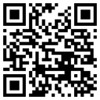
Alternatively, scan the QR code and select the appropriate store for your device.
2. Register in the app
Enter your personal details exactly as they are shown on your passport or travel document, including all given names and surnames.
3. Upload documents for identification and profile verification
To enable offices to identify you and verify your status at the University of Bologna, upload:
- your passport or another valid travel document;
- one of the following documents under "University Affiliation Certificate", depending on your status:
- if you are enrolling in a degree programme
your Universitaly pre-enrolment application validated by the University of Bologna, with or without conditional approval (the PDF summary available for download from Universitaly) - if you are participating in a mobility programme
your Universitaly pre-enrolment application, validated by the University of Bologna (the PDF summary available for download from Universitaly) - if you are participating in a mobility programme and are visa-exempt
the University of Bologna invitation letter or the Acceptance Confirmation you can download from AlmaRM, if your mobility period is shorter than 90 days
University offices will verify the completeness and consistency of your documentation before enabling access to the tax code request service.
4. Wait for profile validation
You will receive a notification once the offices have verified your documentation and activated your profile, generally within two working days.
5. Submit your tax code request
After your profile has been validated, access the Tax Code Request service in the IWD app and complete the application:
- fill in the required information;
- upload a copy of your entry visa (issued for “studio- immatricolazione, post-laurea, corsi singoli, mobilità”), unless you are exempt.
You do not need to upload a visa if you fall under one of the following exemption categories:
- if you are participating in a mobility programme of less than 90 days and, based on your nationality, you are exempt from the visa requirement for short stays in the Schengen Area, indicate the relevant exemption status in the app;
- if you are participating in a mobility programme and hold a study residence permit issued by another Schengen Area country, upload a copy of that residence permit.
Visa exemptions generally apply to mobility periods and normally do not apply to students enrolling in a full degree programme.
6. Review and submit your application
Check that all information is correct and that all required documents have been uploaded, then submit your application.
Incomplete information or non-compliant documents may require additional documentation and result in longer processing times.
7. Wait for issuance and download the certificate
You will receive a notification through the IWD app once your tax code has been issued.
Issuance times depend on the Italian Revenue Agency (Agenzia delle Entrate) and are approximately two weeks, although actual processing times may vary.
Once you receive the notification, log into the IWD app and download your Tax Code Assignment Certificate (Certificato di attribuzione del codice fiscale).
Contacts
For issues using the IWD app, write to unibo@internationalwelcomedesk.it
Contacts
International Desk
General information on how to enrol for international students, immigration procedures, guidance on arrival in Italy and on the services available at the Bologna Campus, Unibo for Refugees project.
Address
Via Marsala 49/A - 40126 Bologna
Office hours by direct access: Tuesdays 14:30-16:00 and, from 3 September 2026 to 15 October 2026, also Thursdays 9:30-11:30.
Virtual Help Desk
Connect
To connect, please read these instructions
Office hours by direct access: Monday and Wednesday 10:00-12:00, Thursday 14:30-16:00
Notices
To receive an unconditional validation of your pre-enrolment on Universitaly and to complete your matriculation by submitting the original documents, please contact the
International Student Administration office on your Campus